


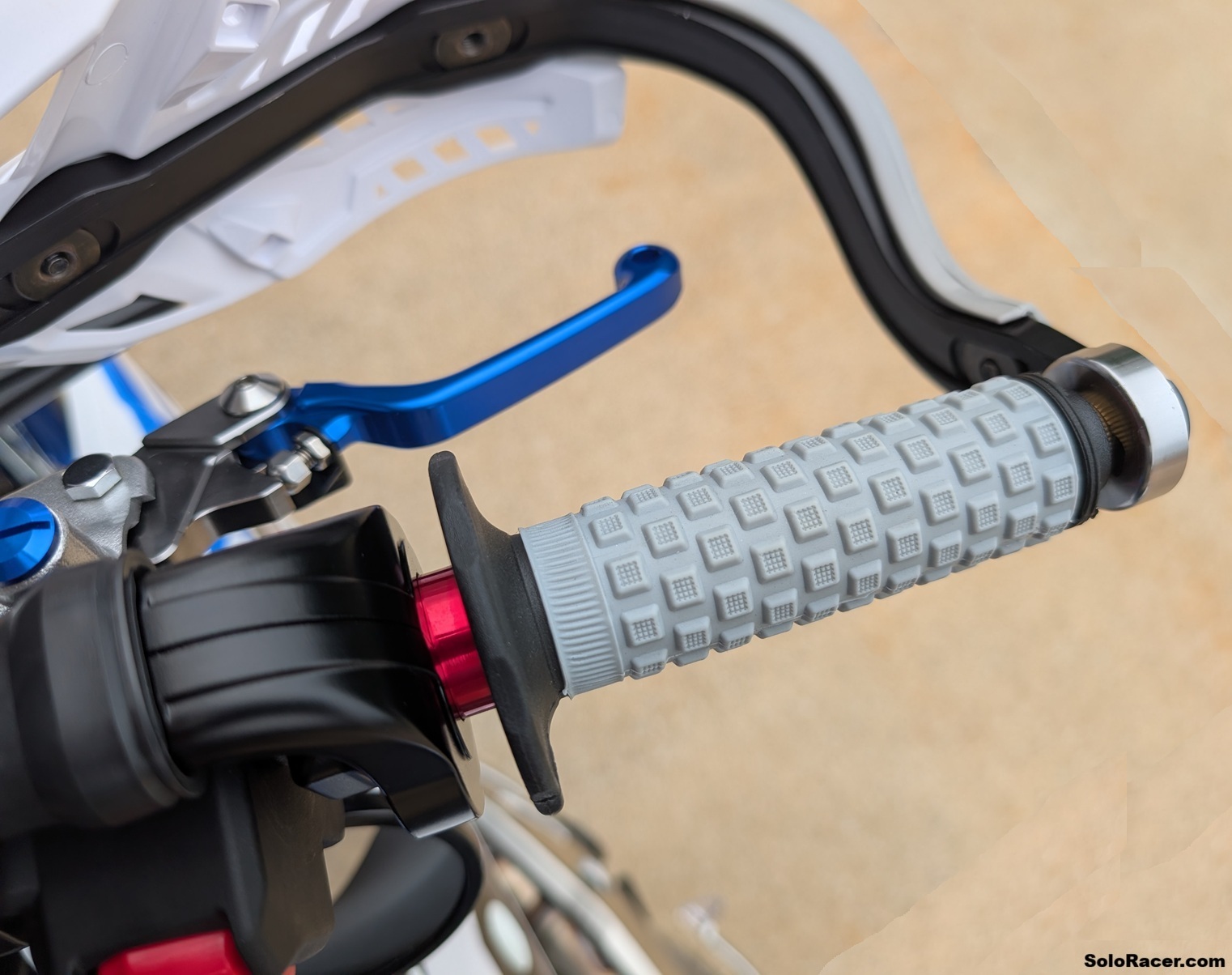
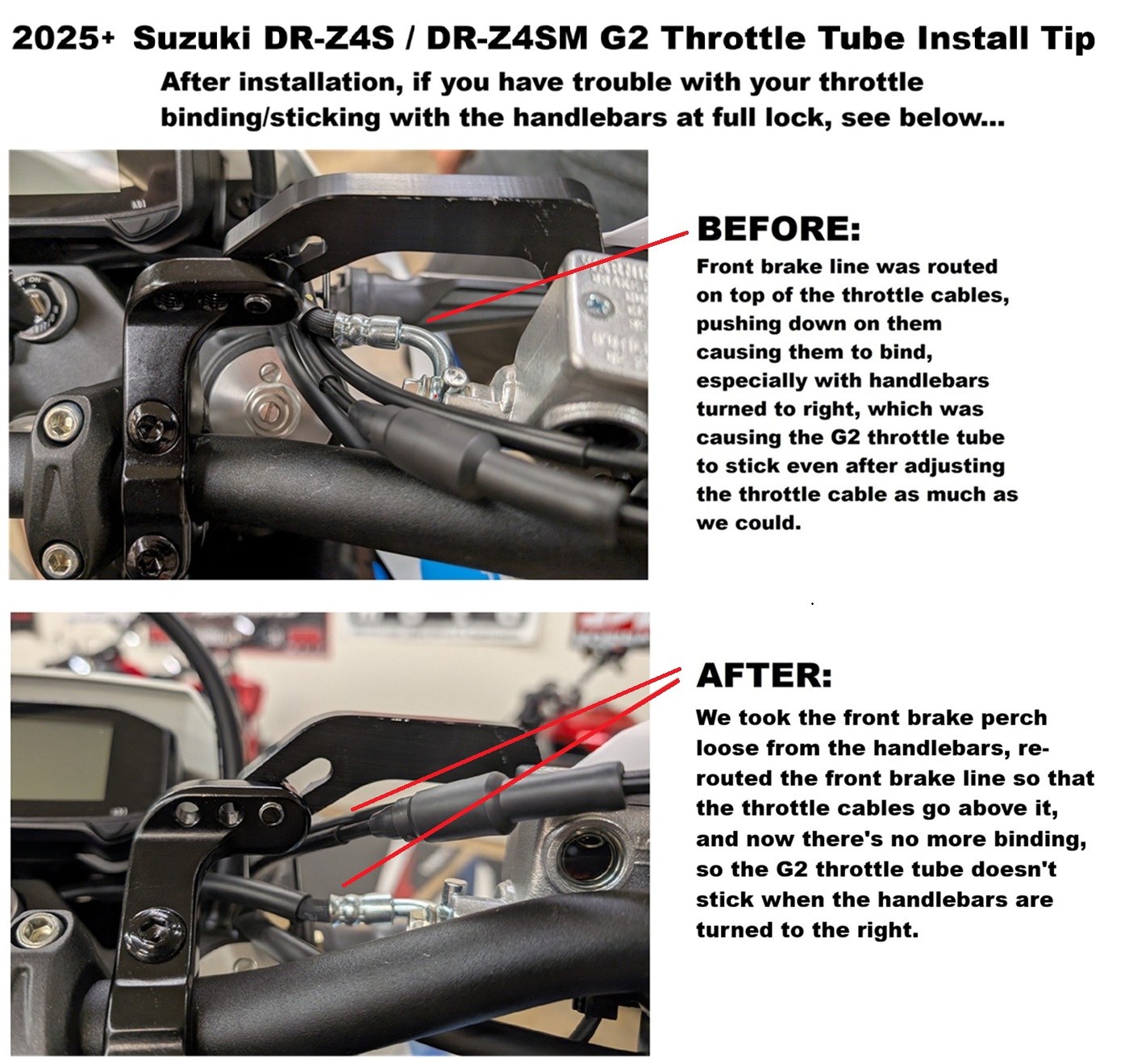
  Installing grips on your Suzuki DRZ4S / DRZ4SM / DRZ400S / DRZ400SM For anyone that's tried to replace the grips on the new Suzuki DRZ4 models, or even the previous generation DRZ400 models, you've probably run into the apparent space age technology that Suzuki uses to fuse the stock grips to the handlebar on the left side, and more problematically, the plastic throttle tube on the right side. You pretty much cannot get the grips off very easily, and they tend to come off in small pieces leaving a lot of cleanup to get the remainder of the grip and adhesive off. We don't even bother trying to salvage the plastic throttle tube on our DRZ400 and DRZ4 project bikes, we figure it's just a good time replace the throttle tube with an aluminum G2 throttle tube, and then install new grips. Not only is the G2 throttle tube made out of aluminum, but it also rotates very smoothly thanks to the self-lubricating Delrin bushings at each end of tube, and it also has a removable endcap, which makes installing handguards much easier (no cutting required like on some plastic throttle tubes). 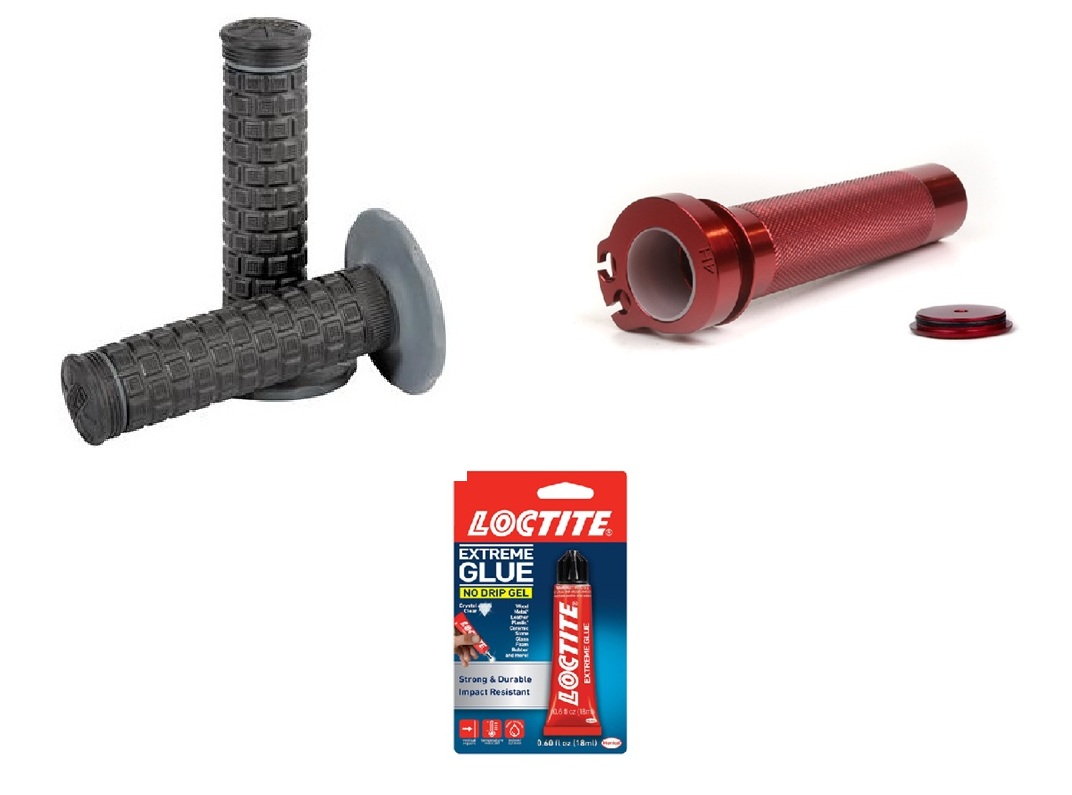 We've put together a Re-Grip kit (shown above) that works on the new 2025+ Suzuki DRZ4S / DRZ4SM models, as well as the previous generation 2020-2024 Suzuki DRZ400S / DRZ400SM models. It includes your choice of Pro Taper Grips, an aluminum G2 Tamer throttle tube, and adhesive to install the grips. You can find the kit here... https://soloracer.com/regripkit.html General Tips On Mounting Your Grips: Additional Tip For 2025+ Suzuki DRZ4S / DRZ4SM Owners: Reference the photo above. Once you install the G2 Tamer Throttle tube, you may need to adjust your throttle cable at the housing to make sure the throttle rotates smoothly and doesn't stick. After you do that, rotate your handlebars lock to lock in both directions, and check to make sure the throttle still rotates smoothly at the far left and right positions. On our 2025 Suzuki DRZ4SM project bike, we were still having an issue with the throttle sticking when the handlebars were turned all the way to the right, even after adjusting the throttle cable. This wasn't an issue with the G2 throttle tube, it was an issue with the way the front brake line and throttle cables were routed on our DRZ4SM project bike. See photo above. The front brake line on our bike was routed so that it was pushing down on the throttle cables, and it was making them bind enough that the throttle was sticking with the handlebars turned all the way to the right. Fixing that was very simple... we unbolted the brake perch from the handlebars, re-routed it so that the throttle cables are now above the brake line, and the brake line is not pressing down on them (see photo), then bolted the perch back up to the handlebar. Now the throttle rotates smoothly, and no more sticking. WHERE TO BUY: Click link below... |
WARNING! - Motor sports can be extremely dangerous, injury or death can occur. No warranty is made or implied regarding any product sold by Devo Tech, Inc. / SoloRacer.com to protect users from injury or death. The user assumes all risks. Please read the rest of our Legal Disclaimer before ordering. Our on-line store is up and running 24 hours a day, 7 days a week. We use secure servers for all transactions so you can shop with complete confidence. If you are uncomfortable ordering online, call or email us for more ordering options. |